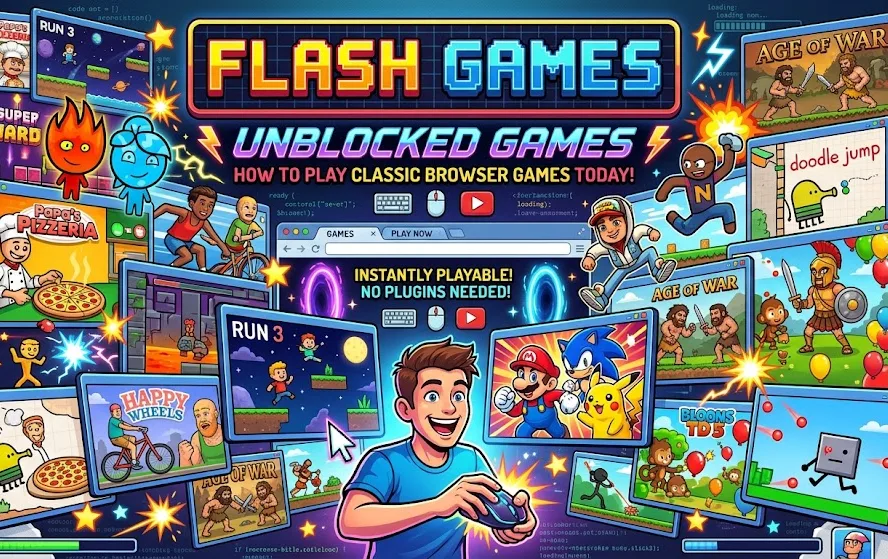
There was a time when a web browser was enough to turn a boring afternoon into hours of gaming. Flash games made that possible. Thousands of small games—puzzles, platformers, racing titles, strategy games, arcade experiments, and strange little creations—could be launched directly from a website with almost no setup.
Today, searching for flash games unblocked games usually means looking for a way to revisit that era. The problem is that Adobe Flash is no longer supported by modern browsers. Adobe ended Flash Player support on December 31, 2020, and blocked Flash content from running in Flash Player beginning January 12, 2021.
That does not mean the games themselves have vanished. Preservation projects and modern Flash emulation have made it possible to experience a substantial amount of this old web-gaming library again.
What Are Flash Games?
Flash games were browser-based games created using Adobe Flash, a technology that became widely used for interactive websites, animations, and games.
Before modern HTML5 games became commonplace, Flash provided developers with tools for creating interactive experiences that could run inside a web browser. The result was a huge ecosystem of small games distributed across gaming portals, personal websites, school websites, forums, and other corners of the internet.
The games covered almost every casual genre, including:
- Arcade games
- Puzzle games
- Platformers
- Racing games
- Sports games
- Strategy games
- Tower defense
- Adventure games
- Point-and-click games
- Fighting games
- Educational games
Many were created by independent developers and hobbyists, which gave the Flash era a distinctive experimental character.
Why Did Flash Games Stop Working?
The important distinction is between Flash games disappearing and Flash Player being discontinued.
Adobe officially ended support for Flash Player at the end of 2020. Adobe also blocked Flash content from running in Flash Player beginning January 12, 2021. Major browsers subsequently disabled Flash support as well.
Adobe pointed to the growth of modern open web technologies such as HTML5, WebGL, and WebAssembly as alternatives to Flash. These technologies allowed developers to build increasingly sophisticated interactive content without relying on the old browser plug-in model.
This created a major problem for old games. A game could still exist as software, but the browser environment it originally depended on was gone.
Are Flash Games Completely Gone?
No.
A large number of Flash games have been preserved by archival projects. One of the best-known examples is Flashpoint Archive, a nonprofit preservation project focused on web games, animations, and other interactive experiences.
According to Flashpoint's current information, its archive has preserved more than 220,000 games and animations, covering Flash as well as many other web technologies.
Flashpoint explains that Flash games did not automatically disappear when Flash ended. Instead, the loss of browser support made them difficult for ordinary users to run, while many websites also removed their old Flash content.
This is why preservation projects are important: they attempt to preserve not only the game files but also enough of the original environment and dependencies to make old web experiences accessible again.
What Does "Unblocked" Mean for Flash Games?
The word unblocked can mean different things depending on the situation.
When people search for "flash games unblocked games," they may be looking for:
- Games that work on a restricted school or workplace network
- Browser games that do not require Flash Player
- Old Flash games that have been converted or emulated
- A website containing a large collection of playable classic games
- Games that can be played without installing the original Flash plug-in
These are not necessarily the same thing.
A game being described as "unblocked" does not guarantee that it is safe, officially preserved, compatible with your browser, or legally authorized for distribution. Users should therefore look at how the game is being delivered, rather than assuming that any website using the word "unblocked" is trustworthy.
How Can You Play Flash Games Today?
There are two particularly important technologies for accessing old Flash content today: emulation and archival preservation.
Ruffle Flash Emulator
Ruffle is an open-source Flash Player emulator written in Rust. It uses WebAssembly to run Flash content on the web and is also available as a desktop application and browser extension.
This is significant because it does not require users to reinstall the discontinued official Flash Player.
Ruffle supports ActionScript 1, 2, and 3 to varying degrees, although its developers note that the project is still under development and compatibility is not perfect.
Its current downloads include desktop versions and browser extensions for modern browsers.
Flashpoint Archive
Flashpoint takes a different approach. Rather than simply providing an emulator, it is designed as a broader preservation system for old web games and interactive content.
Its launcher allows users to browse and launch archived content, while its preservation work attempts to account for the technical dependencies that many historical web games had. Flashpoint describes its software as including a launcher, proxy, and sandbox for accessing preserved plugin-based content.
For someone specifically searching for an old Flash game that no longer exists on its original website, an archive can be considerably more useful than simply searching for an old SWF file.
Why You Shouldn't Install an Old Flash Player
One of the most important things to understand when looking for flash games unblocked games is that installing an old official Flash Player is not the same thing as using a modern emulator.
Adobe no longer supports Flash Player and explicitly recommends that users uninstall it. Adobe also blocked Flash content from running in Flash Player after its end-of-life date.
That means downloading an unofficial copy of an obsolete Flash plug-in simply because a website tells you to "enable Flash" is not a good modern solution.
A better approach is to use established preservation projects or modern emulation technology designed specifically to reproduce the old Flash environment.
Are Unblocked Flash Game Websites Safe?
Not automatically.
The term unblocked describes accessibility, not security.
A website can advertise hundreds of free games while still containing intrusive advertising, misleading download buttons, unwanted redirects, or questionable files. The fact that a site hosts an old game does not establish that the site itself is trustworthy.
When looking for classic Flash games, consider these precautions:
- Avoid downloading an old Flash Player from an unfamiliar website.
- Prefer established preservation projects and open-source emulators.
- Do not install browser extensions simply because a game page tells you to.
- Be cautious with executable files offered as "game launchers."
- Keep your browser and operating system updated.
- Check whether the game can be accessed through a reputable archive instead.
Ruffle's approach is particularly relevant here because it is designed as an emulator rather than requiring the discontinued Flash Player itself. Its browser implementation runs through modern browser technologies.
What Happened to School Flash Games?
Many people associate the search for unblocked games with school or workplace networks. Historically, students often discovered browser games on websites that were accessible through institutional networks.
Flash games were especially common because they were small, browser-based experiences that could run without a conventional game installation.
Today, however, a website being accessible through a school network does not necessarily mean a particular game will work. Network filtering can block gaming sites, while modern browsers generally cannot execute original Flash content without an appropriate emulator or preservation layer.
There is also an important distinction between technical compatibility and network restrictions. Ruffle can address the former, but it does not bypass an institution's network policies.
Flash Games vs. Modern HTML5 Games
The biggest difference between classic Flash games and modern browser games is the underlying technology.
| Feature | Classic Flash Games | Modern Browser Games |
|---|---|---|
| Main technology | Adobe Flash | HTML5, JavaScript, WebGL and related web technologies |
| Original browser requirement | Flash Player | Modern browser |
| Current native Flash support | Discontinued | Not applicable |
| Preservation challenge | Requires emulation or archival solutions | Generally easier to run on current browsers |
| Typical game style | Often small, experimental, casual | Ranges from simple games to sophisticated web applications |
Adobe specifically identified HTML5, WebGL, and WebAssembly as mature alternatives to Flash when explaining its end-of-life decision.
Why Are People Still Interested in Flash Games?
Part of the appeal is simple nostalgia, but there is more to it.
Flash games represent an important period in the development of online gaming. They gave independent creators an accessible way to publish interactive work before today's enormous ecosystem of mobile stores and browser-based JavaScript games.
Some titles also became influential beyond the Flash ecosystem. Others were simply memorable because they were easy to discover and play.
Preservation organizations treat this material as part of internet history rather than disposable entertainment. Flashpoint, for example, describes its mission as preserving web-based games, animations, and interactive experiences that might otherwise disappear as technology changes.
What Types of Flash Games Can You Find?
The Flash era produced an unusually broad collection of genres.
Puzzle Games
Flash was particularly well suited to short puzzle experiences. Games could be built around matching, physics, logic, timing, or pattern recognition without requiring a large installation.
Platform Games
Simple keyboard controls made two-dimensional platformers a natural fit for browser gaming.
Tower Defense and Strategy
Flash became home to many strategy experiments, including games involving waves of enemies, resource management, defensive structures, and tactical decisions.
Point-and-Click Adventures
The mouse-driven interface of a browser made Flash a natural platform for point-and-click adventures and interactive stories.
Racing and Sports
Small racing, basketball, football, and other sports games were common on gaming portals and casual-game websites.
Experimental Games
Perhaps the most distinctive category was the collection of games that did not fit neatly into a traditional genre. Independent Flash developers frequently experimented with unusual mechanics and visual styles.
Why Some Flash Games Still Don't Work
Finding a preserved Flash game does not guarantee perfect compatibility.
Flash games can depend on specific versions of ActionScript, external files, server-side services, browser behavior, or other components from their original environment.
Ruffle's developers explicitly note that its support for ActionScript 1, 2, and 3 is still incomplete.
Flashpoint also notes that some games had sitelocks, meaning they were designed to work only when played from their original host website.
Consequently, an old game may load correctly while another game from the same era may have missing sounds, broken controls, graphical problems, or fail to start altogether.
How to Find a Specific Old Flash Game
If you remember a game but cannot remember its exact name, start with whatever details you do know.
Useful clues include:
- Approximate year you played it
- Genre
- Main character
- Setting
- Website where you originally found it
- Distinctive enemies or objects
- Whether it used keyboard or mouse controls
- Any words from the game's title
- The game's visual style
Once you have a likely title, check reputable preservation resources rather than downloading random files from search results.
Flashpoint provides an online search facility for checking whether a game or animation has been preserved in its archive.
The Future of Flash Game Preservation
Flash itself is no longer coming back as a supported browser plug-in. The more interesting development is the preservation technology being built around it.
Ruffle demonstrates how emulation can reproduce Flash functionality using modern technologies such as WebAssembly, while Flashpoint demonstrates how large-scale archival systems can preserve games together with the infrastructure needed to access them.
Together, these projects show that the end of a software platform does not necessarily have to mean the end of the digital experiences created with it.
Final Thoughts
Searching for flash games unblocked games today is really a search for a piece of the early web. The original Flash Player is gone, and modern browsers no longer support it, but many of the games created during the Flash era have survived through preservation projects and emulation.
The safest modern route is not to hunt for an obsolete Flash plug-in. Instead, look for reputable archives such as Flashpoint or modern open-source emulation projects such as Ruffle. They provide a much more appropriate way to explore old browser games while avoiding the risks associated with unsupported software.
For anyone interested in internet history, Flash games are more than nostalgic distractions. They are a snapshot of an era when a browser, a mouse, and a small game could create an entire online playground.
FAQs
Can you still play Flash games in 2026?
Yes, many Flash games can still be played through preservation projects and Flash emulators. The original Adobe Flash Player is no longer supported, but projects such as Ruffle provide modern ways to run compatible Flash content.
Is Adobe Flash Player still available?
Adobe Flash Player reached end of life on December 31, 2020. Adobe subsequently blocked Flash content from running in Flash Player and recommends that users uninstall it.
What is Ruffle?
Ruffle is an open-source Flash Player emulator written in Rust. It uses WebAssembly for web-based playback and is also available as a desktop application and browser extension.
What is Flashpoint Archive?
Flashpoint Archive is a nonprofit web-preservation project that preserves games, animations, and other interactive experiences from the web. Its archive includes Flash content as well as material created with many other web technologies.
Are "unblocked games" websites safe?
Not necessarily. "Unblocked" only describes whether content can be accessed through a particular network or restriction. It does not guarantee that a website is secure. Users should be cautious about unfamiliar downloads, browser extensions, redirects, and outdated software.
Why don't Flash games work in Chrome or other modern browsers?
Modern browsers removed support for the Flash plug-in after Adobe ended Flash Player. As a result, original Flash content generally requires an emulator or another preservation solution rather than native browser Flash support.
Can Ruffle play every Flash game?
No. Ruffle has broad and continually improving compatibility, but its developers state that support for Flash technologies is not completely finished. Individual games can therefore behave differently.
Where can I look for a lost Flash game?
A reputable preservation archive is a good starting point. Flashpoint provides an online search tool for checking whether particular games or animations have been preserved.